5 Buyer Engagement Signals That Actually Predict Deals
Cutting through the dashboard noise to the signals that correlate with closing.
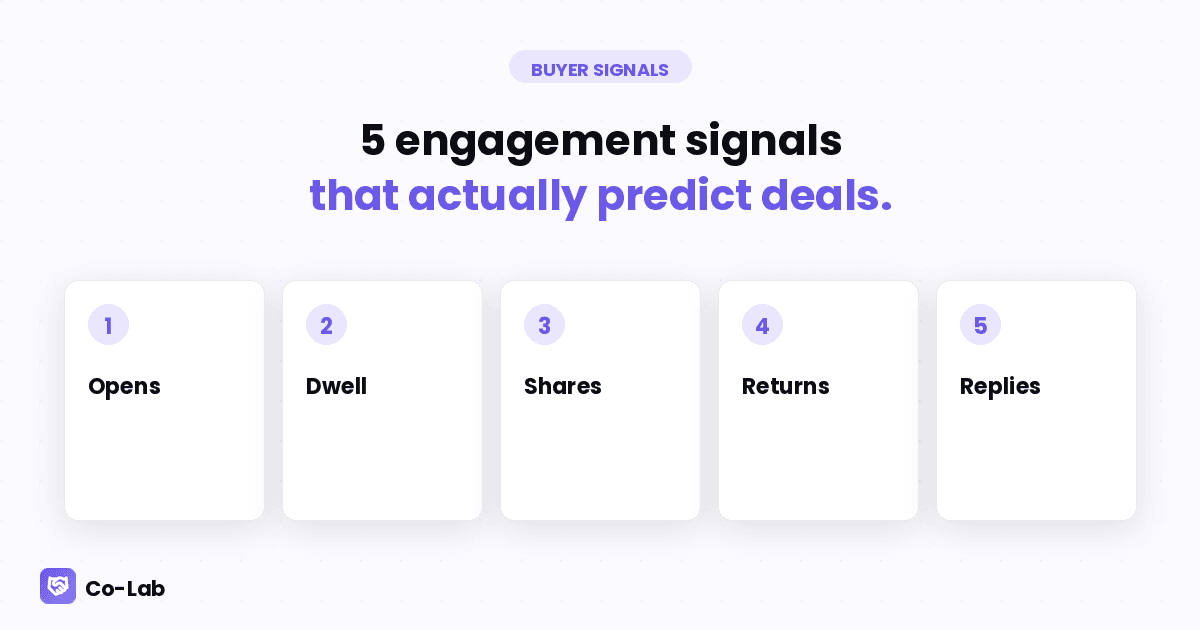
If your sales tool tracks engagement, it probably surfaces 15-20 signals. Opens, clicks, time on page, bounce rate, scroll depth, return visits, share events, comment activity, navigation patterns, etc.
Most of those don't predict anything. Five of them do, and once you know which five, the rest is noise.
1. Multiple opens by multiple stakeholders within 7 days
Single-person engagement is interesting. Multi-person engagement is predictive.
When your champion opens the deal room, then someone with a different email domain (procurement) opens it 2 days later, and a third person (tech lead) opens it the day after that — you have a deal that's being internally evaluated.
Pattern from our pilot data: deals with 3+ unique viewers in the first 7 days close at ~2.4x the rate of single-viewer deals. The signal isn't who. It's spread.
What to do with it: when you see new viewers showing up, immediately send a one-line email to your champion: "Saw [name from new viewer] is in the pod — happy to set up a quick conversation if useful." Multi-thread proactively.
2. Re-visits to specific blocks (not just opens)
A first open is a low signal — could be the buyer skimming. A re-visit to a specific section is a high signal — the buyer is making a decision.
The most predictive re-visit pattern: returning to the pricing block within 48 hours of the first open. That's a buyer running internal numbers. It's a near-certain "we're seriously considering this."
Second-most predictive: returning to the case study block for a specific industry/use case. That's a buyer trying to convince someone internally that this works for their situation.
What to do with it: when you see a pricing re-visit, your next email is the proposal. When you see a case-study re-visit, your next email offers a reference call with the customer in the case study.
3. Time-in-section over 90 seconds
Below 90 seconds is skimming. Above 90 seconds is reading.
If a stakeholder spent 4 minutes on your security/compliance section, they're a buyer with security concerns. If they spent 6 minutes on the integration overview, they're a technical evaluator.
This signal tells you who they are even when you don't know their name. The role is encoded in what they spent time on.
What to do with it: segment your follow-up by what each stakeholder dwelt on. The security reader gets the SOC 2 report. The integration reader gets the API docs. Generic follow-ups are wasted on buyers who self-segmented.
4. Forwards to new email domains
Most buyer-engagement tracking shows you opens by URL. The richer signal is shares — when your champion forwarded the deal room to a new internal stakeholder.
Detection method: when an open happens from a new IP and a new email domain that wasn't on the original send, your link was forwarded.
This is the highest-trust signal in the deal. Champions don't forward stuff they don't believe in. A forward to procurement means "we're moving this forward."
What to do with it: acknowledge the forward in your next touch ("noticed [name] is now in the loop — happy to answer any questions they have"). Don't pretend you didn't see it. Buyers respect the directness.
5. Reply latency on async questions
If your deal room supports inline comments or threaded questions, the speed of buyer replies is a deal-state signal.
Buyers who reply to inline questions within 24 hours: deal is hot. Buyers who reply within 72 hours: deal is warm. Buyers who reply within a week: deal is in jeopardy. Buyers who don't reply at all: deal is over (they just haven't told you).
This signal is more reliable than "stage advancement in CRM" because it's measured in buyer behavior, not seller behavior. A stage moves because the AE moved it. A reply latency is what the buyer actually did.
What to do with it: when reply latency starts trending up across multiple touches, escalate to a direct call before the deal goes silent entirely.
Signals that don't predict (skip these)
- Single opens by your champion. Could be them re-checking the URL they bookmarked. Low signal.
- Time on the welcome block. Buyers always linger on the first block. Doesn't mean anything.
- Mobile vs desktop opens. Doesn't correlate with intent.
- Day-of-week opens. No predictive value.
- Clicks on the Co-Lab footer logo. Curiosity, not buying intent. (We've checked.)
- Embedded video plays. Almost everyone plays them. Almost nobody finishes them. The play-rate doesn't matter.
If your dashboard surfaces these, ignore them.
How to use this without drowning in dashboards
The pattern: pick 3 deals per week to actively monitor. Don't try to monitor everything.
For those 3 deals, set up alerts on the 5 predictive signals above. Ignore your dashboard the rest of the time.
The teams winning at engagement-driven sales aren't the ones with the most data. They're the ones with the most attention on the data that matters. Five signals × three deals × five days = 75 data points per week. That's enough to make better decisions, not so many that you drown in them.
What this means for your team
If your sales tool surfaces 20 engagement metrics and your AEs use none of them, you have a signal-routing problem, not a tooling problem.
Pick the 5 above. Pipe them to a Slack channel, an email digest, or wherever the AE actually looks. Kill the dashboard nobody opens.
Engagement data only matters when it changes a behavior. Five signals, routed to the inbox, beat 20 signals trapped in a dashboard.
Want engagement signals routed to your AEs without a dashboard? Co-Lab pipes them into Slack and HubSpot. Free at colabapp.ai, code SALES for 3 months.
More from the blog
Keep reading.
Stalled Deals: 6 Engagement Signals You Missed Before It Went Cold
The signals that show up 7-14 days before a deal officially stalls — and what to do when you see them.
Champion Vetting: How to Tell If Your Internal Advocate Is Real
Four signals that distinguish a real champion from a friendly contact who's about to ghost you.
Reading Buyer Activity Like a Forecast
A practical scoring framework for turning engagement data into deal-state insight.